
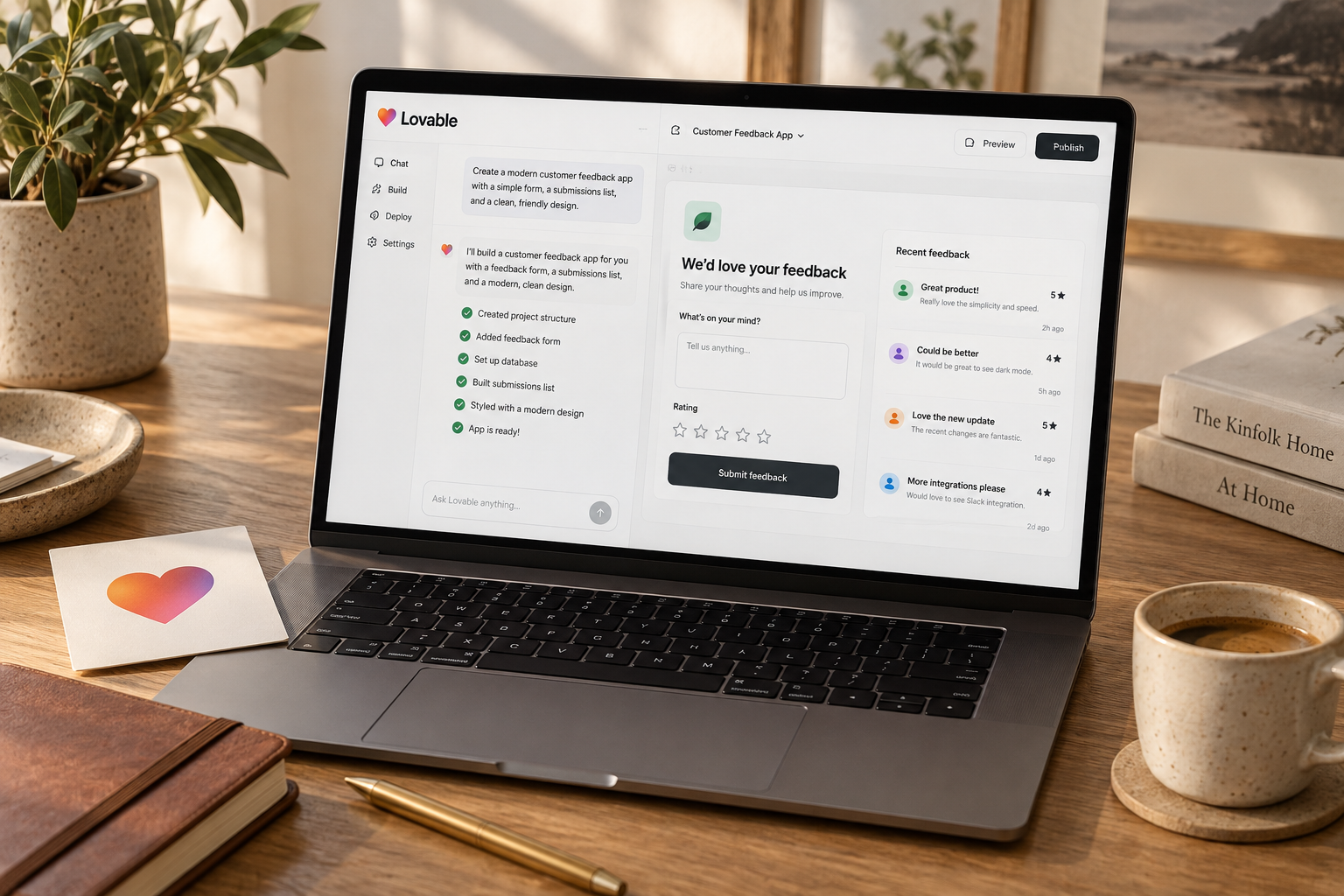
A QR-code customer feedback app is a realistic weekend Lovable project if you limit it to one business, one form, and one private follow-up queue. Budget 12-16 hours for a pilot, test access controls before collecting real responses, and skip AI analysis until feedback volume justifies it.
You can build a customer feedback app with Lovable in a weekend: a mobile form customers open from a QR code, plus a private queue for staff follow-up. Keep the first version to one business and one location. This guide gives you the build sequence, a copy-paste prompt, planning costs, and the tests required before collecting real customer data.
Choose a weekend-sized feedback app
The useful version is not another survey dashboard. It is a short path from "something went wrong" to "someone handled it."
Think of a cafe customer reporting a missing item, a salon customer requesting a callback, or a repair-shop customer flagging an unclear invoice. The customer submits feedback without creating an account. The owner sees it, assigns a status, and records what happened next.
That is a distinct, manageable app. A customer portal with invoices, appointments, messaging, and loyalty points is not a weekend project.
Build only what closes the loop
Use this scope for your first pilot:
| Component | Weekend version | Leave for later | |---|---|---| | Customer form | Rating, topic, comment, optional callback | Long surveys and branching questions | | Access | Public form, invite-only staff login | Customer accounts and multiple businesses | | Follow-up | New, in progress, resolved | Automated compensation or refunds | | Reporting | Counts by status and topic | AI summaries and trend predictions | | Distribution | QR code and direct link | POS integrations and campaign automation |
Use a five-point rating with visible labels, not five unexplained icons. Offer four topics: service, product, facilities, and other. Make comments optional and limit them to 1,000 characters.
Only request an email address or phone number when someone asks for follow-up. A customer should be able to say the waiting area was dirty without giving you their identity.
Decide whether custom software is justified
If you only need to collect responses, a hosted form and spreadsheet may be enough. Build with Lovable when the missing piece is operational: staff need a private queue, consistent statuses, and a record of resolution.
Do not replace an existing feedback product merely to remove its logo. Rebuilding authentication, access controls, and maintenance can cost more than the subscription you avoid.
For other tightly scoped projects, see our small-business app ideas. Choose the workflow with an identifiable owner, not the one with the most impressive demo.
Build the form and private follow-up queue
Allow 12-16 focused hours for a first pilot. This is a planning estimate for someone comfortable configuring web tools, not a promise that generated code will work correctly on the first attempt.
A sensible split is two hours for scope and setup, five for the form and database, three for staff access, and four for testing and corrections. Keep two hours in reserve. If permissions remain unclear, postpone launch rather than borrowing time from security testing.
Step 1: Define the data before generating screens
Use a database-backed project. A Supabase-backed implementation is one option; confirm the backend and deployment choices available in your Lovable workspace before starting.
Keep three small tables:
- Feedback: ID, creation time, rating, topic, comment, callback request, optional contact details, and status.
- Staff members: authenticated user ID and role, with membership controlled by an administrator.
- Feedback notes: feedback ID, author ID, note text, and creation time.
Internal notes belong in a separate table. Mixing them into a customer-facing response object creates an unnecessary disclosure risk later.
For the pilot, give all approved staff the same access. Do not add location managers, contractors, and granular assignment rules until you actually need them.
Step 2: Generate the smallest complete workflow
Paste this into Lovable:
```text Build a mobile-first customer feedback web app for one small business.
Public route: /feedback
- No customer account required.
- Rating: integer from 1 to 5, with clear text labels.
- Topic: service, product, facilities, or other.
- Optional comment, maximum 1,000 characters.
- Optional checkbox: "I would like someone to contact me."
- Show an email-or-phone field only when that box is selected.
- Require a contact method only for callback requests.
- Show accessible validation and a simple success message.
- Include a privacy notice placeholder that must be completed before launch.
Private route: /staff
- Require authentication and approved staff membership.
- Show feedback newest first.
- Filter by topic and status.
- Allow statuses: new, in progress, resolved.
- Store staff-only notes in a separate table.
- Do not allow public staff registration or self-assigned roles.
Security requirements:
- Submit public feedback through a server-side endpoint.
- Validate fields, allowed values, and lengths on the server.
- Apply server-side rate limiting and provide bot protection.
- Do not grant anonymous database reads or direct anonymous writes.
- Enforce staff authorization in database policies and server code,
not only by hiding UI elements.
- Never expose privileged credentials in browser code.
- Render comments and notes as plain text, not HTML.
- Return a generic submission acknowledgment, not stored records.
Exclude AI analysis, payments, public reviews, email automation, customer accounts, and multiple-business support.
First propose the schema, access rules, and implementation plan. Identify any manual configuration or external service required. Then implement one stage at a time and explain how to test it. ```
This prompt sets requirements. It does not prove the implementation meets them. Ask Lovable to identify unfinished configuration explicitly, especially rate limiting, bot protection, and staff provisioning.
Our prompt library has more patterns for making bounded changes without regenerating the whole app.
Step 3: Complete public submission before polishing
Submit three fictional responses: a positive rating, a complaint, and a callback request. Confirm the database stores the expected values and nothing more.
Disable the submit button while a request is processing. If duplicate submissions persist, add server-side idempotency so retrying the same request does not create another record.
Write the success message carefully: "Thanks. Your feedback has been received." Do not promise an immediate reply unless someone is actually watching the queue.
Step 4: Add staff access and statuses
Create staff membership through a controlled administrator process. A logged-in user is not automatically an employee.
Test with an approved account and a separate account that has no staff membership. The second account must not read feedback, even if it knows the staff page URL or calls the underlying API directly.
The queue needs very little decoration: rating, topic, date, callback requested, and status. Open an item to see its comment and internal notes. Add charts only after the daily workflow works.
Step 5: Create the QR code last
Generate a static QR code pointing directly to the deployed feedback URL. Avoid redirect services you do not need, particularly ones that can introduce subscriptions or tracking.
Put a readable link beneath the code. Test the printed version on two phones, not just the image on your laptop. Small codes, glossy paper, and poor lighting can turn a working app into an unusable customer experience.
Test security and the customer experience
A hidden staff page is not a private database. This is the most important distinction in the build.
For a Supabase-backed implementation, verify row-level security on feedback, staff membership, and notes. Public submissions should pass through the controlled endpoint; anonymous users should have no direct table access. Privileged backend credentials must remain server-side.
Do not accept "security enabled" as a test result. Ask for the actual policies, then test the behavior with unauthorized requests. If you cannot verify the boundaries, get help before storing real contact details.
Run this launch checklist
- [ ] An anonymous visitor can submit valid feedback through the intended endpoint.
- [ ] An anonymous visitor cannot list, retrieve, edit, or delete feedback.
- [ ] A signed-in non-staff user cannot access feedback or notes.
- [ ] Users cannot grant themselves staff membership.
- [ ] Invalid ratings and oversized comments are rejected server-side.
- [ ] Repeated submissions trigger the configured abuse controls.
- [ ] HTML entered in a comment displays as text rather than executing.
- [ ] Double-clicking submit does not create duplicate records.
- [ ] A failed submission shows an error and preserves the customer's text.
- [ ] The form works with keyboard navigation and on a narrow phone screen.
- [ ] Staff notes never appear in public responses.
- [ ] Privileged keys and raw contact details are absent from client bundles and routine logs.
Use clearly fictional contacts during these tests. Do not copy your customer spreadsheet into development to make the dashboard look realistic.
Set a privacy rule you can actually operate
Place a short privacy explanation beside the form. Identify the business collecting the data, why it is collected, who can access it, the retention period, and how to request deletion. Link to your full notice if applicable.
For a pilot, you might choose to remove contact details 30 days after resolution and delete individual feedback after 90 days. These are operational examples, not universal legal requirements. Confirm obligations for your business and location.
Implement the cleanup process, even if the first version is a scheduled manual task. A retention statement without deletion is just copy.
For clinics or other sensitive settings, a generic weekend build is not clearance to collect medical or regulated information. Keep the pilot to non-sensitive service feedback and use an appropriately reviewed system for sensitive workflows.
Launch a small pilot and measure the payback
Start at one location for seven days. Put the QR code at one relevant touchpoint, such as a receipt or collection counter, rather than everywhere at once.
Assign one person to check the queue twice daily. Define who handles callback requests and what "resolved" means. Closing an item without recording an action defeats the point of the app.
Budget for iteration, not just hosting
The following are planning allowances as of October 28, 2026, not verified vendor quotes. Check current plan terms and usage charges before purchase.
| Cost item | Pilot planning allowance | Main variable | |---|---|---| | Lovable building budget | $25-$75 for the build month | Plan choice and iteration credits | | Hosting and database | $0-$25 per month initially | Included quotas and backend choice | | Optional custom domain | $10-$25 per year | Registrar and extension | | QR printing | $0-$20 once | Existing printer versus printed signage | | Your time | 12-16 hours initially | Setup experience and debugging |
That gives a rough first-month cash allowance of $25-$145, excluding your time, taxes, external review, and unexpected usage. It is not a guaranteed price or a quote for a particular stack. Check our Lovable pricing guide alongside the current billing screen.
Track submissions, callback requests, open items older than 48 hours, and median time to first action. Do not obsess over average rating during a tiny pilot. A handful of responses is not a representative customer survey.
Keep review requests separate from complaint handling. Do not show a public review link only to happy customers. If you request public reviews, use a consistent approach and check the destination platform's rules.
After seven days, ask one hard question: did the queue help staff act on feedback they previously missed? If it only created another unattended inbox, fix ownership before adding features.
Can Lovable build a feedback app without coding?
Yes, Lovable can generate the interface and application code from prompts. You still need to configure services, approve staff access, and verify security. Not writing code does not remove responsibility for customer data.
How much does a Lovable feedback app cost?
Use $25-$145 as a rough first-month pilot allowance for this scope, excluding labor and external review. Actual costs depend on current plans, building credits, hosting, and optional purchases. Budget time for ongoing testing and maintenance too.
Should you add AI to customer feedback?
Not for the first version. Fixed topics and a follow-up queue usually solve the immediate problem. Consider AI classification or summaries only when manual review becomes burdensome, keep humans responsible for responses, and exclude contact details from model requests unless genuinely necessary.
The Briefing
The best of Lovable, once a week.
Deep reviews, founder case studies, and growth tactics. No filler.
No spam. One-click unsubscribe.
Build something with us
Start Building with Lovable
Open Lovable, write your first prompt, and ship the thing you have been thinking about for too long.
Start Building with Lovable