AI agents

Build AI agents that do the work.

Eighteen agent blueprints you can build in Lovable this week: support, sales, research, operations and voice. Each one comes with what it does, the parts it needs, the prompt to paste, and the way people charge for it.

2026

Hot right now

The eight questions people are actually searching about AI agents this month, with a straight answer to each. Tap one to filter the blueprints below.

What counts as an AI agent

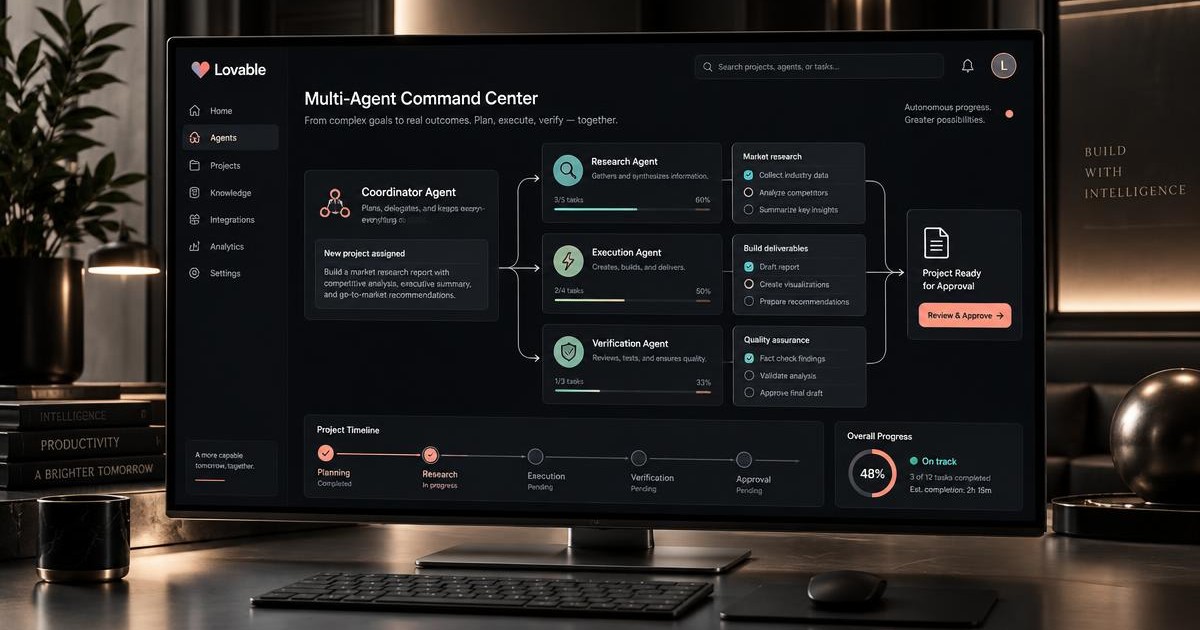
A chatbot answers. An agent decides and acts. The difference is three things: it holds context about the user, it can call tools that change something real, and it stops to ask when the action is irreversible. Every blueprint below has all three.

How to build one in Lovable

  1. 01Write the job in one sentence: who the agent serves, what it decides, and what it is never allowed to do.
  2. 02Add the data first. An agent without a table to read and a table to write into is just a text box.
  3. 03Give it two or three narrow tools, not ten. Narrow tools with clear descriptions beat a giant catalogue.
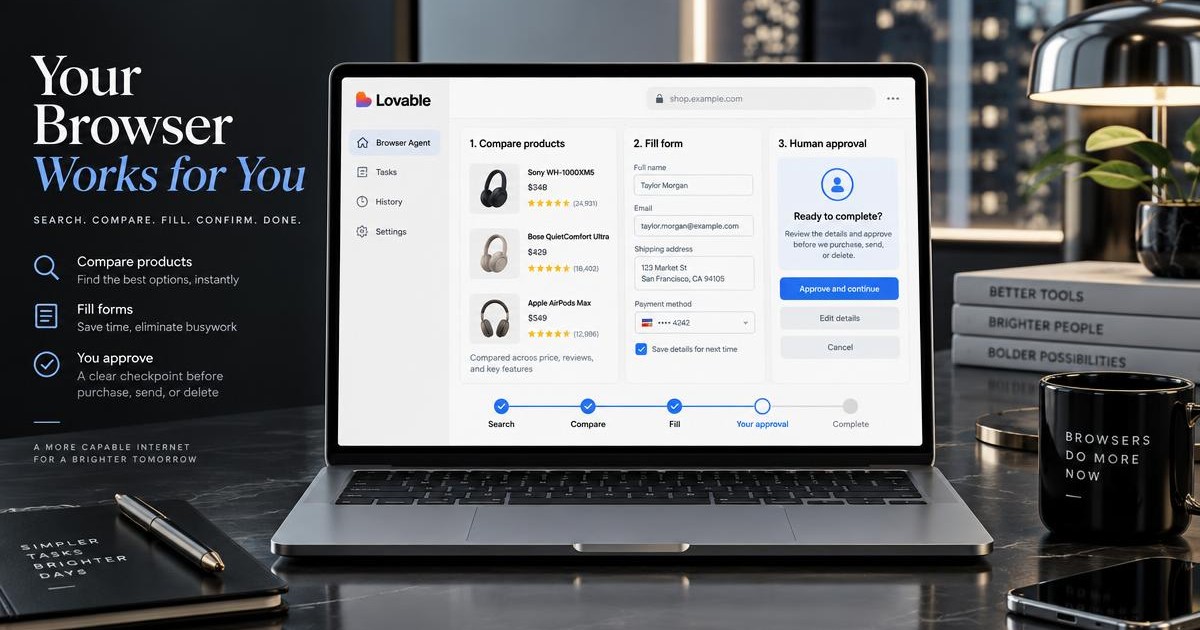
  4. 04Put approval in front of anything that sends, pays or deletes. Trust is a feature, not a setting.
  5. 05Ship the thinnest version, use it yourself for a week, then add the fourth tool you actually missed.

AI agents

research agent screen with data tables, sources and scraped results — Lovable, Scraping agent that watches any site or marketplace

One agent collects prices, listings and job posts from several services on a schedule, cleans the mess into one table and pings you only when something actually changed.

You describe a source once: its URL, how pages are paginated and which fields you need. The agent fetches the page, lets the model extract fields into a fixed schema, deduplicates by a stable key, saves a snapshot and writes a diff against the previous run.

Parts
  • Tables: sources, runs, items, item_changes
  • Edge function with fetch plus HTML to text cleanup
  • Structured extraction with a strict field schema
  • Scheduled trigger every few hours
  • Alerts by email or webhook plus CSV export
How it makes money

Sell monitoring as a subscription per source: resellers pay for competitor prices, recruiters for job feeds, agencies for lead lists. Charge more for shorter intervals and API access.

Build time

A weekend

Step by step
  1. Check the rules first: read robots.txt and the terms of the service, scrape only public pages, and prefer an official API when the site offers one.
  2. Create the sources table with url, pagination pattern, css hint, field list, interval and active flag. One row equals one monitored service.
  3. Write an edge function fetch_source: it loads the HTML with a normal user agent, strips scripts and styles, and trims the text to the part that holds the listings.
  4. Pass that text to the model with a strict JSON schema (title, price, currency, url, published_at, raw_key) and temperature zero. Never let the model invent fields, missing values must be null.
  5. Deduplicate on raw_key: upsert into items, and when a tracked field differs from the stored row insert a record into item_changes with the old and new value.
  6. Add retries with backoff, a per-source rate limit and a runs table that logs status, item count and error text so a broken selector is visible immediately.
  7. Schedule the function per source interval, then send a digest email or webhook that lists only rows from item_changes since the last digest.
  8. Build the UI: source list with health badge, run history, a filterable items table, a change feed and a CSV export button.
Build a scraping and monitoring agent.

Data: table "sources" (name, url, pagination_pattern, selector_hint, fields jsonb, interval_minutes, active). Table "runs" (source_id, status, items_found, error, started_at, finished_at). Table "items" (source_id, raw_key unique per source, title, price numeric, currency, url, published_at, payload jsonb, first_seen_at, last_seen_at). Table "item_changes" (item_id, field, old_value, new_value, created_at).

Server: an edge function that takes a source id, fetches the page with a normal user agent, strips scripts, styles and navigation, trims the text to the listing area, then asks the model to extract rows into a strict JSON schema with temperature zero and null for missing values. Upsert rows into items on raw_key and insert item_changes whenever a tracked field differs. Log every attempt into runs, retry twice with backoff on network errors and respect a per source rate limit. Follow pagination up to a configurable page limit.

Automation: a scheduled job that picks active sources whose interval has elapsed, runs them one by one, then sends a digest email or webhook containing only item_changes created since the previous digest.

UI: sources page with add and edit form, health badge from the last run, run history with error text, items table with search and filters, a change feed and a CSV export button.

Rules: only public pages, honour robots.txt, keep all keys and model calls on the server, enable row level security so each user sees only their own sources and items.
#scraping#monitoring#research

support agent workspace with a live chat inbox and ticket queue — Lovable, Support agent that answers from your own docs

The first agent most teams need: it reads your help center and answers customers at three in the morning without inventing policies.

Upload docs, split them into chunks, store embeddings, and answer only with retrieved passages plus a source link. When nothing matches, the agent escalates to a human instead of guessing.

Parts
  • Cloud database with vector column
  • Edge function for retrieval
  • Streaming chat UI
  • Escalation table for unanswered tickets
How it makes money

Sell it per seat to small SaaS teams, or charge a flat monthly fee for hosting one client's knowledge base.

Build time

One evening

Build a documentation support agent.

Data: a table "documents" (title, url, content) and a table "chunks" (document_id, content, embedding vector). A table "escalations" (question, email, created_at, status).

Server: one edge function that embeds the user question, retrieves the six closest chunks, and streams an answer that uses only those chunks. Every answer must end with the source links it used. If similarity is below the threshold, return a short "I do not have this in the docs" answer and insert a row into escalations.

UI: a chat page with streaming responses, message history in the browser, source links rendered as chips under each answer, and an escalation form that appears when the agent cannot answer.

Enable row level security on all tables, keep model calls on the server, and show a clear error state when the request fails.
#rag#support#chat
sales agent dashboard with lead pipeline and outreach sequences — Lovable, Lead qualification agent for your landing page

Replace the contact form nobody fills in with an agent that asks four questions and books the meeting itself.

The agent runs a short structured interview, scores the lead against your criteria, writes the result into the database and sends a summary to sales.

Parts
  • Structured output with a small schema
  • Leads table with score and reason
  • Email notification
  • Embeddable widget
How it makes money

Agencies pay well for this: one widget per client site, monthly retainer, and an upsell for custom scoring rules.

Build time

A weekend

Build a lead qualification agent widget.

Behaviour: the agent asks at most five questions, one at a time, to learn company size, budget range, timeline and the problem being solved. It never asks two questions in one message and never asks for data it already has.

After the interview, produce a structured result with fields: score, tier, summary, next_step. Keep the schema flat and unconstrained, state the ranges in the prompt text, and clamp values in code.

Storage: insert into a "leads" table with contact details, transcript, score, tier and created_at. Send a notification email with the summary.

UI: a floating chat bubble on the landing page, mobile friendly, with a typing indicator and a final card showing the booked next step.
#sales#structured-output#widget
research agent screen with data tables, sources and scraped results — Lovable, Research agent that uses tools and shows its work

A multi-step agent that searches, reads, compares and returns a sourced brief instead of a confident paragraph.

Define three tools: search, fetch page, and save finding. Let the agent loop until it has enough evidence, then render the tool timeline in the UI so users can audit every step.

Parts
  • Tool calling with a step limit
  • Findings table with source URLs
  • Tool activity timeline UI
  • Export to markdown
How it makes money

Charge per report. Market research, competitor teardowns and due diligence briefs all sell as one-off deliverables.

Build time

Two evenings

Build a research agent with tool calling.

Tools: web_search(query), fetch_page(url), save_finding(claim, source_url, confidence). Give each tool a narrow input schema and a short description.

Loop: allow at least fifty steps, stop when the agent has five saved findings or decides the question is answered. Never let the agent answer without at least two independent sources.

Output: a brief with a one paragraph answer, a bullet list of findings, and a sources section. Save the brief to a "reports" table.

UI: stream the answer, render every tool call as a timeline row with its input and a compact result, and add a copy button plus markdown export.
#tools#agent-loop#research
content agent editor with drafts, briefs and publishing calendar — Lovable, Content repurposing agent for one long post

Paste one article, get the newsletter, the thread, the carousel script and the video hook, all in your own voice.

Store a voice profile with rules and banned phrases, then generate each format in a separate call so the outputs stay sharp instead of blending together.

Parts
  • Voice profile table
  • Parallel generation per format
  • Editable output cards
  • One click copy
How it makes money

The easiest first product to sell: creators pay monthly, agencies pay per brand workspace.

Build time

One evening

Build a content repurposing agent.

Input: a long article plus a saved voice profile (tone rules, favourite words, banned phrases, audience).

Generate four outputs in separate calls so each one is focused: a newsletter intro, a social thread of six posts, a carousel script of seven slides, and three video hooks.

Rules for every output: no em dashes, no emoji, no filler phrases like "in today's fast paced world", short sentences, concrete nouns.

UI: one input panel on the left, four result cards on the right, each editable inline with a copy button and a regenerate button that only regenerates that card.
#content#marketing#voice
operations agent console with automated workflows and status logs — Lovable, Inbox triage agent that drafts replies

Every founder drowns in the same forty emails. This agent sorts them, drafts the answers and asks before sending anything.

Classify each message into a small set of intents, attach a suggested action, and require explicit approval for anything that leaves the app.

Parts
  • Classification with a compact label set
  • Approval step before send
  • Reply templates
  • Daily digest
How it makes money

Sell to solo consultants and small agencies who bill by the hour and feel every hour the inbox eats.

Build time

A weekend

Build an inbox triage agent.

For each incoming message, classify it as one of: sales, support, partnership, invoice, noise. Add urgency low, medium or high, and a one sentence reason.

Draft a reply for every message that is not noise, using saved templates as the base and matching the sender's language.

Any action that sends an email or changes external state must require approval in the UI first. Show the draft, the intent and the reason on an approval card with approve, edit and discard.

UI: a triage queue grouped by intent, keyboard shortcuts for approve and skip, and a daily digest view of what was handled.
#ops#approval#email
voice agent interface with call waveform and live transcript — Lovable, Voice agent that takes bookings by phone

Clinics, salons and workshops still miss half their calls. A voice agent answers on the first ring and writes the booking straight into the calendar.

Speech to text on the way in, a short scripted dialogue in the middle, text to speech on the way out, and a confirmation message the caller can check.

Parts
  • Speech to text
  • Slot filling dialogue
  • Availability check against the calendar
  • Text to speech and SMS confirmation
How it makes money

Local business owners understand the value in one sentence: a missed call is a lost customer. Price it monthly per location.

Build time

Two weekends

Build a voice booking agent.

Flow: transcribe the caller audio, run a slot filling dialogue that collects service, preferred day, preferred time and phone number, confirm the details out loud, then create the booking.

Never invent availability. Check the bookings table first and offer the two closest free slots when the requested time is taken.

Confirm by reading the booking back and sending a text summary. Store the full transcript with the booking for review.

UI: an operator dashboard with today's calls, transcripts, created bookings and a flagged list of calls the agent could not finish.
#voice#booking#local-business
support agent workspace with a live chat inbox and ticket queue — Lovable, In-app onboarding copilot
Intermediate

Most churn happens in the first ten minutes. An agent that knows where the user is stuck fixes activation better than any tooltip tour.

Feed the agent the user's completed steps and current screen, let it suggest the single next action, and give it a tool that can actually perform that action.

Parts
  • Event table for user progress
  • Context aware system prompt
  • Action tools with approval
  • Activation metrics view
How it makes money

This is an add-on you can sell into any existing SaaS, and the activation lift is easy to measure and invoice against.

Build time

A weekend

Build an in-app onboarding copilot.

Context: pass the current route, the list of completed setup steps and the last three user events into the system prompt on every call.

Behaviour: always propose exactly one next action, explain in one sentence why it matters, and offer to do it. Never list five options.

Tools: create_project, invite_teammate, connect_data_source. Mark every tool as needing approval, and show the approval card inline in the chat.

UI: a slide-over panel available from every page, a progress checklist at the top, and an admin view showing where users get stuck most often.
#activation#saas#copilot
research agent screen with data tables, sources and scraped results — Lovable, Data analyst agent for your own database

Ask a question in plain language, get a chart and the query behind it. The honesty of showing the query is what makes people trust it.

Give the agent the schema, restrict it to read-only views, let it write the query, run it server side and render the result as a chart with the SQL visible underneath.

Parts
  • Read-only views
  • Query generation with schema context
  • Server side execution
  • Chart rendering and saved questions
How it makes money

Vertical analytics sells: pick one niche, model its metrics properly, and charge more than a generic dashboard tool.

Build time

Two evenings

Build a data analyst agent over a read-only schema.

Safety: expose only read-only views, reject anything that is not a select, cap rows returned, and run every query server side with a timeout.

Behaviour: the agent writes the query, explains in one sentence what it measures, then picks the chart type that fits the shape of the result.

UI: a question box with example questions, a chart, a collapsible SQL block, and a saved questions list that can be rerun with one click.

Handle empty results and query errors explicitly with a plain language message and a suggested fix.
#analytics#sql#charts
content agent editor with drafts, briefs and publishing calendar — Lovable, SEO brief agent that outlines pages worth ranking

Not another article spinner. This agent reads the current results page, finds what everyone missed, and briefs a page that deserves the click.

Collect the top results, extract their headings, cluster the shared subtopics and output an outline with the angles nobody covered plus internal link targets.

Parts
  • Search and page fetch tools
  • Heading extraction
  • Gap analysis prompt
  • Brief export
How it makes money

Content teams buy briefs, not words. Sell packs of ten briefs a month and keep the writing to the client.

Build time

One evening

Build an SEO brief agent.

Input: a target keyword and the site the page will live on.

Steps: search the keyword, fetch the top eight results, extract their headings and word counts, cluster the shared subtopics, and list the questions none of them answer well.

Output a brief with: search intent in one line, target title and description, an H2 outline, entities to mention, three internal link targets from the given site, and the differentiating angle.

UI: a single input, a progress list of the steps as they run, and the finished brief in a copyable panel with markdown export.
#seo#content#tools
sales agent dashboard with lead pipeline and outreach sequences — Lovable, Shopping agent that helps people choose

Filters make people leave. A short conversation about what they actually need gets them to the product page ready to buy.

The agent asks about use case and constraints, queries the live catalogue, and returns three options with a plain comparison of the trade-offs.

Parts
  • Product catalogue tool
  • Comparison card UI
  • Stock and price awareness
  • Handoff to checkout
How it makes money

Charge stores a percentage of assisted revenue, or a flat fee per thousand conversations. Both are easy to justify with numbers.

Build time

A weekend

Build a shopping assistant agent for an online store.

Tools: search_products(query, filters), get_product(id), check_stock(id).

Behaviour: ask at most three questions about use case, budget and any dealbreaker, then recommend exactly three products. For each one, give the reason it fits and the honest downside. Never recommend an out of stock item.

UI: chat with product cards inline, each card showing image, price, stock status and an add to cart button. Keep the conversation on the product page as a side panel.

Log every conversation with the products shown and whether the visitor added to cart, so the store can measure assisted revenue.
#ecommerce#conversion#chat
operations agent console with automated workflows and status logs — Lovable, Screening agent for job applications

Two hundred applications, one honest scorecard per candidate, and a record of exactly why each decision was made.

Parse the resume, score it against the criteria you wrote, ask two clarifying questions by email, and hand the shortlist to a human with reasoning attached.

Parts
  • Document parsing
  • Criteria driven scoring
  • Follow up email sequence
  • Human review queue
How it makes money

Recruiting budgets are large and the pain is seasonal but sharp. Sell per open role rather than per seat.

Build time

A weekend

Build a recruiting screening agent.

Input: a job description with must have and nice to have criteria, plus uploaded resumes.

For each candidate produce: a score per criterion, an overall recommendation, the strongest evidence quoted from the resume, and the biggest open question.

Never infer age, gender, nationality or anything the criteria do not mention, and never reject a candidate automatically. The agent proposes, a human decides.

UI: a candidate table sorted by score with expandable scorecards, a compare view for the top five, and a one click email that asks the open question.
#hiring#documents#scoring
operations agent console with automated workflows and status logs — Lovable, Spending agent that explains where the money went

Upload a statement, get categories, trends and one uncomfortable sentence about the subscription you forgot.

Parse the file, categorise transactions, detect recurring charges, and let the user ask follow-up questions about their own numbers.

Parts
  • CSV upload and parsing
  • Category rules plus model fallback
  • Recurring charge detection
  • Chat over the parsed data
How it makes money

A clean freemium product: free for one statement, paid for history, multiple accounts and export.

Build time

One evening

Build a personal spending agent.

Input: a CSV bank statement uploaded by the user.

Processing: normalise dates and amounts, categorise every transaction using rules first and the model only for the leftovers, and detect recurring charges by matching merchant and cadence.

Output: a summary with total by category, month over month change, the three largest changes explained in one sentence each, and a list of subscriptions with their yearly cost.

UI: upload area, a category chart, a transactions table with inline category editing that retrains the rules, and a chat box for follow up questions about the uploaded data only.

Keep all data private to the signed in user with row level security.
#finance#csv#consumer
operations agent console with automated workflows and status logs — Lovable, MCP agent that plugs into every tool your team already pays for

One chat window that reads your CRM, your docs and your billing, then does the boring cross-tool task nobody wants to open five tabs for.

Model Context Protocol turned tool access into a standard. Instead of writing a separate integration for every service, the agent gets a list of typed tools and picks the right one at runtime. You keep a registry of connections, a permission map per user role, and a log of every call the agent made.

Parts
  • Tables: connections, tool_calls, approvals
  • Server function that lists available tools per user role
  • Tool router with typed arguments and validation
  • Approval card before any write action
  • Call log with cost and latency per run
How it makes money

Sell it per seat to teams that live in five tools at once, or as a fixed monthly build for one company that wants its own internal copilot.

Build time

Two evenings

Step by step
  1. Define the tool contract first: name, description, argument schema, and whether the tool reads or writes.
  2. Store connections in a table with the owning user, the service name and a token reference, never the raw token in the client.
  3. Write one server function that returns only the tools the current role may use.
  4. Let the model choose a tool, validate the arguments against the schema, and reject anything that does not match.
  5. Render an approval card for write tools with the exact payload before executing.
  6. Log every call with duration, tokens and result, then show a run timeline in the interface.
  7. Add a dry run switch so a new connection can be tested without touching live data.
Build an internal tool-calling agent with a typed tool registry.

Data: connections (user_id, service, label, status), tools (name, description, args_schema, mode read or write), tool_calls (tool, args, result, duration_ms, cost), approvals (tool_call_id, status).

Server: one function that returns the tools allowed for the current user role, one function that executes a tool after validating arguments against args_schema, and one that records the call.

Agent loop: the model receives the allowed tool list, chooses at most one tool per turn, and must explain in one sentence why it chose it.

Safety: any tool marked write requires an approval card showing the exact arguments before it runs. Never execute a write tool without a recorded approval row.

UI: chat panel, a connections page with a test-run button, and a run timeline showing each tool call with duration and cost.

Protect every table with row level security so a user only ever sees their own connections and calls.
#mcp#tools#integrations#ops
sales agent dashboard with lead pipeline and outreach sequences — Lovable, AI SDR that researches, writes and books while you sleep

The most searched agent of the year. It takes a list of companies, finds the reason to reach out, writes a message that does not read like a template, and puts the reply on your calendar.

The value is not in sending more mail, it is in the research step. For each company the agent gathers a few public signals, scores fit against your ideal customer profile, drops anything below the bar, and only then drafts. Every draft waits for a human click before it leaves.

Parts
  • Tables: accounts, signals, drafts, sequences, replies
  • Research step with source links stored per signal
  • Fit score from zero to one hundred with a visible reason
  • Draft queue with edit and one-click approve
  • Reply classifier that books, snoozes or closes
How it makes money

Agencies charge per booked meeting, software teams charge per seat. The research step alone sells: most buyers already have a sending tool and no reason to write.

Build time

Two evenings

Step by step
  1. Write the ideal customer profile as five yes or no checks the model can actually verify.
  2. Import accounts from a CSV first. Buying a data provider before the loop works is the usual mistake.
  3. For each account, collect three public signals and store the source URL next to every one.
  4. Score the fit, and log the sentence that justifies the score so a human can argue with it.
  5. Draft a message that quotes exactly one signal. No signal, no send.
  6. Queue drafts for approval, then send through your own mail provider with a per-day cap.
  7. Classify every reply, book positives into a calendar link, and mark the account cold after two no answers.
Build an AI SDR agent focused on research quality, not send volume.

Data: accounts (name, domain, size, notes), signals (account_id, type, text, source_url, found_at), fit_scores (account_id, score, reason), drafts (account_id, subject, body, status), replies (draft_id, category, next_step).

Pipeline: import accounts from CSV, research each account and store at least one signal with a source URL, score fit from 0 to 100 against a stored ideal customer profile, and draft only for accounts above the threshold.

Writing rule: every draft must quote exactly one stored signal and stay under 90 words. If no signal exists, skip the account and say why.

Human control: drafts land in an approval queue with inline editing. Nothing sends without an approved row and a per-day send cap.

Replies: classify each reply as interested, not now, or not a fit, and surface interested ones with a suggested meeting time.

UI: pipeline board, an account page showing signals with source links, and a draft queue with approve, edit and skip.
#sdr#outreach#sales#b2b
operations agent console with automated workflows and status logs — Lovable, One agent app that replaces your zoo of automation scenarios

Twelve brittle scenarios, three tools, nobody remembers which one sends the invoice. Fold them into one app where every run is visible and every failure has a name.

Deterministic steps stay deterministic. The model is used only where a decision needs judgement: classify this, choose the recipient, decide whether it can wait. Everything else is plain code on a schedule, which is what makes the whole thing cheap and boring in the best way.

Parts
  • Tables: workflows, steps, runs, run_steps, errors
  • Scheduled trigger plus a manual run button
  • Model step only for classification and routing
  • Retry with backoff and a dead letter table
  • Run timeline with input and output of every step
How it makes money

Charge a migration fee plus a monthly rate for keeping the runs green. Small companies pay to stop guessing why an invoice never went out.

Build time

One weekend

Step by step
  1. List your current scenarios and mark each step as rule or judgement. Most steps are rules.
  2. Model the workflow as rows: a workflow has ordered steps, a run has one row per executed step.
  3. Implement rule steps as plain functions. Fetch, transform, write, send.
  4. Add a single model step where judgement is required and force it to return one value from a fixed list.
  5. Wrap every step in try and catch, store the error text, and retry three times with growing delay.
  6. Build the run timeline screen before you migrate the second scenario. Visibility is the whole point.
  7. Migrate scenarios one at a time and keep the old one running in parallel for a week.
Build a workflow runner app where an AI step is used only for judgement.

Data: workflows (name, schedule, active), steps (workflow_id, position, kind rule or model, config), runs (workflow_id, started_at, status), run_steps (run_id, step_id, input, output, duration_ms, error), dead_letters (run_id, payload, reason).

Execution: run steps in order, store input and output of every step, retry a failed step three times with growing delay, then write it to dead_letters and stop the run.

Model steps: must return exactly one value from a fixed list defined in the step config, with a one sentence reason stored alongside.

UI: workflow list with last run status, a run timeline showing each step with duration and output, a manual run button, and a dead letter screen with a retry action.

Keep secrets in server functions only and protect every table with row level security.
#automation#workflow#ops#internal
voice agent interface with call waveform and live transcript — Lovable, AI receptionist that answers the calls your business misses

A clinic, a salon or a repair shop misses a third of its calls. Each one is a paying customer who just called the next number on the list.

The agent picks up, answers the five questions everyone asks, checks the calendar, books or takes a message, and sends the owner a summary. The trick is the fallback: when the caller sounds annoyed or asks something outside the script, it offers a human and stops talking.

Parts
  • Tables: calls, transcripts, bookings, messages
  • Speech to text, model turn, text to speech
  • Business hours and service list in one editable table
  • Calendar slots with a hold before confirmation
  • Summary to the owner by email or messenger after each call
How it makes money

Local businesses pay monthly per location, and the pitch writes itself: one recovered booking a week usually covers the whole fee.

Build time

One weekend

Step by step
  1. Write the five questions the business actually gets and the exact answers. This is the whole knowledge base on day one.
  2. Build the text version first and talk to it by typing. If it fails in text, voice will only hide the failure.
  3. Add speech to text on the way in and speech to text confidence as a gate: low confidence means ask again, not guess.
  4. Keep answers under two sentences. On a phone call, long answers get interrupted.
  5. Hold a calendar slot while confirming, and release it if the caller hangs up.
  6. Detect frustration and out of scope questions, then offer a callback and record the number.
  7. Send the owner a call summary with the transcript link so they can correct the script the same day.
Build an AI receptionist for a local business.

Data: business_profile (hours, services, prices, address, five FAQ pairs), calls (started_at, caller, outcome), transcripts (call_id, role, text, confidence), bookings (service, slot, caller, status hold or confirmed), messages (call_id, text, callback_number).

Behaviour: greet, identify the request, answer only from business_profile, check available slots, place a hold, confirm, then release or confirm the hold.

Limits: answers stay under two sentences. If the model cannot answer from business_profile, or the caller sounds frustrated, offer a callback and store the number instead of guessing.

After the call: generate a summary with outcome, next step and a link to the transcript, and send it to the owner.

UI: a text chat to test the same logic without voice, a call log with transcripts, a bookings calendar, and an editable business profile page.
#voice#local#booking#receptionist
content agent editor with drafts, briefs and publishing calendar — Lovable, Content agent that turns one idea into a week of short video scripts

The fastest agent to build and the easiest to demo. Paste one thought, get seven hooks, seven scripts and the caption, all in your own voice.

Voice is the product. The agent stores ten samples of how you actually write, extracts the patterns once, and applies them to every script. Without that step you get the same generic hook everyone else posts.

Parts
  • Tables: voice_samples, ideas, scripts, publish_queue
  • One-time style extraction into a stored voice profile
  • Hook generator with a scoring pass that keeps the best three
  • Script template: hook, tension, payoff, call to action
  • Calendar view with drag to reschedule
How it makes money

Sell it to one creator niche at a time. A tool that sounds like the buyer beats a general writer at four times the price.

Build time

One evening

Build a short video script agent that writes in the user's own voice.

Setup: the user pastes ten samples of their own writing. Extract a voice profile once with tone, sentence length, favourite structures and banned words, and store it.

Input: one idea in a sentence.

Output: seven hooks scored for curiosity and clarity, the best three expanded into 40 second scripts using hook, tension, payoff and call to action, plus a caption and five tags for each.

Rules: no generic openers, no words from the banned list, and every script must be readable out loud in under 45 seconds.

UI: idea input, a scored hook list, a script editor, and a weekly calendar where scripts can be dragged between days.
#content#video#creator#shorts
video ad production console with storyboard frames, timeline and voiceover track — Lovable, Ad video agent that turns a product brief into a ready commercial

One brief in, one finished ad out: script, storyboard, voice over, subtitles and three cuts for different placements. The part people underestimate is the shot list, not the render.

The agent works in stages instead of one giant prompt. It writes the offer and the promise first, then a scene by scene shot list with duration per shot, then the voice over text timed to those durations, then it assembles the clips and burns in subtitles. Each stage is saved, so you can rewrite one scene without regenerating the whole ad.

Parts
  • Tables: briefs, scripts, shots, renders, variants
  • Stage one: offer, audience pain and single promise
  • Stage two: shot list with duration, camera note and on screen text
  • Text to speech for the voice over plus word level subtitles
  • Render queue in an edge function with a status page
How it makes money

Agencies charge per finished ad. Selling five variants of one commercial for the price of half a shooting day is an easy yes for a small brand.

Build time

One weekend

Step by step
  1. Collect the brief in five fields only: product, buyer, pain, promise, proof. More fields make worse ads.
  2. Generate three angles for the same product and let the user pick one before anything else runs.
  3. Build the shot list as rows, not prose: shot number, seconds, what is on screen, what is said.
  4. Cap the total at the placement length: 15, 30 or 60 seconds, and make the model cut shots to fit.
  5. Write the voice over against the durations, then check reading speed at about 2.5 words per second.
  6. Generate or match stock footage per shot, store the clip URL on the shot row.
  7. Assemble, burn subtitles, export 9:16, 1:1 and 16:9 from the same timeline.
  8. Save every version so the client can compare cut one against cut three.
Build an ad video agent that turns a product brief into a finished commercial.

Data: briefs (product, buyer, pain, promise, proof), scripts (brief_id, angle, status), shots (script_id, index, seconds, visual, voice_over, on_screen_text, clip_url), renders (script_id, aspect, url, status).

Flow, one stage at a time and each stage saved before the next:
1. From the brief, propose three angles with a one line promise each. Wait for the user to pick one.
2. Build a shot list as rows with index, seconds, visual, on screen text. Total duration must equal the chosen placement length of 15, 30 or 60 seconds.
3. Write the voice over per shot, sized to that shot's seconds at about 2.5 words per second.
4. Attach a clip to each shot, then queue renders for 9:16, 1:1 and 16:9 with burned in word level subtitles.

Rules: one promise per ad, the hook lands in the first two seconds, no claim that is not backed by the proof field, and never exceed the placement length.

UI: brief form, angle picker, an editable shot table where changing seconds re-times only that shot's voice over, a render queue with status, and a version list to compare cuts side by side.
#content#video#ads#marketing#ugc
creator workspace with phone on a ring light and UGC script variants on screen — Lovable, UGC ad agent that writes creator scripts and tests hooks

Paid social does not fail on the edit, it fails on the first two seconds. This agent produces twenty hooks per product, keeps the ones that survive scoring, and turns them into shot ready creator briefs.

The output is not a script, it is a shooting kit: hook line, what the creator holds and does in each beat, the line said out loud, the caption and the thumbnail frame. Every variant carries a tracking name so ad results can be pasted back and the agent learns which hook family wins.

Parts
  • Tables: products, hooks, variants, results
  • Hook generator across six proven families
  • Scoring pass on curiosity, clarity and claim risk
  • Creator brief template with beats and props
  • Results import by CSV to rank hook families
How it makes money

Brands buy creative volume, not single ads. A monthly pack of thirty tested scripts costs them less than one agency concept.

Build time

One evening

Step by step
  1. Define the six hook families once: problem, contrast, mistake, result, demo, story. Ask for hooks per family, not in bulk.
  2. Score each hook from one to five on curiosity and clarity, and flag any claim the product cannot prove.
  3. Keep the top eight, discard the rest, and never show the user twenty raw lines.
  4. Expand each surviving hook into four beats of five seconds: hook, problem, demo, call to action.
  5. Add the physical layer: what is in frame, what the hand does, where the product appears.
  6. Generate a caption and three tags per variant, plus a tracking name like product-family-number.
  7. Let the user paste ad results back as CSV with spend, views and clicks per tracking name.
  8. Show which hook family wins for this product and bias the next batch toward it.
Build a UGC ad script agent that produces shot ready creator briefs and learns from results.

Data: products (name, promise, proof, audience), hooks (product_id, family, line, curiosity_score, clarity_score, claim_risk), variants (hook_id, beats json, caption, tags, tracking_name), results (tracking_name, spend, views, clicks, conversions).

Hook families: problem, contrast, mistake, result, demo, story. Generate three hooks per family, score each from one to five on curiosity and clarity, flag any claim not supported by the proof field, keep the top eight and discard the rest.

For each surviving hook produce four beats of five seconds: hook, problem, demo, call to action. Every beat states what is in frame, what the creator does with their hands, and the exact line spoken. Add a caption, three tags and a tracking name of the form product-family-number.

Results loop: accept a CSV of results by tracking name, compute cost per click per hook family, and weight the next generation toward the winning families.

UI: product form, a scored hook table, a beat editor, a print view of the creator brief, and a results dashboard by hook family.
#content#video#ads#ugc#creator#hooks
product demo editor with screen-recording scenes, captions and narration waveform — Lovable, Demo video agent that turns a screen recording into a polished product film

Record a messy five minute walkthrough, get back a 60 second demo with a written narration, zoom on every click that matters and clean subtitles. The dead air is what kills demos, and that is exactly what the agent removes.

Transcription is only the entry point. The agent maps the transcript to the moments in the recording, drops silences and repeated attempts, rewrites the rambling into short benefit led narration, then places zoom and highlight markers on the timestamps where a click happened. The user edits a timeline of segments, not a video file.

Parts
  • Tables: recordings, segments, narration, exports
  • Speech to text with word level timestamps
  • Silence and filler detection to cut dead air
  • Zoom and highlight markers tied to click timestamps
  • Export presets for landing page, app store and social
How it makes money

Every SaaS needs a demo and hates recording one. Charge per finished video or monthly for teams that ship a feature every week.

Build time

One weekend

Step by step
  1. Accept an upload of the raw recording and store it, never process in the browser.
  2. Transcribe with word level timestamps and save every word as a row.
  3. Cut anything over 0.6 seconds of silence and any repeated sentence start.
  4. Split what remains into segments by task, one segment per thing the product does.
  5. Rewrite each segment into one benefit sentence: what the viewer gets, not which button is pressed.
  6. Rank segments by importance and keep only enough to fit the target length.
  7. Place a zoom marker at each click timestamp and a highlight on the region that changed.
  8. Render with subtitles, then export 16:9 for the landing page and 9:16 for social from the same edit.
Build a product demo video agent that turns a raw screen recording into a short polished demo.

Data: recordings (file_url, duration, target_length), words (recording_id, text, start, end), segments (recording_id, start, end, task, narration, importance), markers (segment_id, timestamp, type zoom or highlight, region), exports (recording_id, aspect, url, status).

Pipeline: transcribe with word level timestamps, remove silences longer than 0.6 seconds and repeated sentence starts, group the rest into segments where one segment equals one task the product performs, rewrite each segment into a single benefit sentence, score segments by importance and keep only enough to fit the target length.

Then place a zoom marker at every click timestamp and a highlight on the region that changed, render with word level subtitles and export 16:9 and 9:16 from the same edit.

Rules: narration describes the outcome, not the interface. Never say click here. Total length must not exceed the target. Keep every cut reversible by storing segments rather than rewriting the source file.

UI: upload page, a segment timeline where segments can be reordered, muted or restored, a narration editor with live duration, a marker overlay on the preview, and an export panel per aspect ratio.
#content#video#demo#saas#onboarding

Questions about building agents

Can Lovable really build an AI agent, or only the interface?
Both. The chat interface, the database, the server functions that call the model and the tool logic all live in the same project, so the agent runs end to end without a separate backend.
Do I need an API key from an AI provider?
No. Model calls go through the built-in AI gateway, so you can build and test an agent before you decide on a provider or a paid plan.
How do I stop an agent from making things up?
Ground it. Retrieve real passages before answering, require a source with every claim, and let the agent say it does not know. A refusal with a handoff beats a confident invention.
What is the safest way to let an agent take actions?
Approval steps. Any tool that sends an email, charges a card or deletes data should render an approval card first with the exact payload the user is about to confirm.
Which agent should I build first?
The one that removes a task from your own week. Support over docs and content repurposing are the two fastest starting points, and both take about an evening.

Keep going

Pick one agent and build it tonight

The free plan gives five credits a day, no card. That is enough to get the first version of any blueprint on this page working.

Open Lovable and build it →