
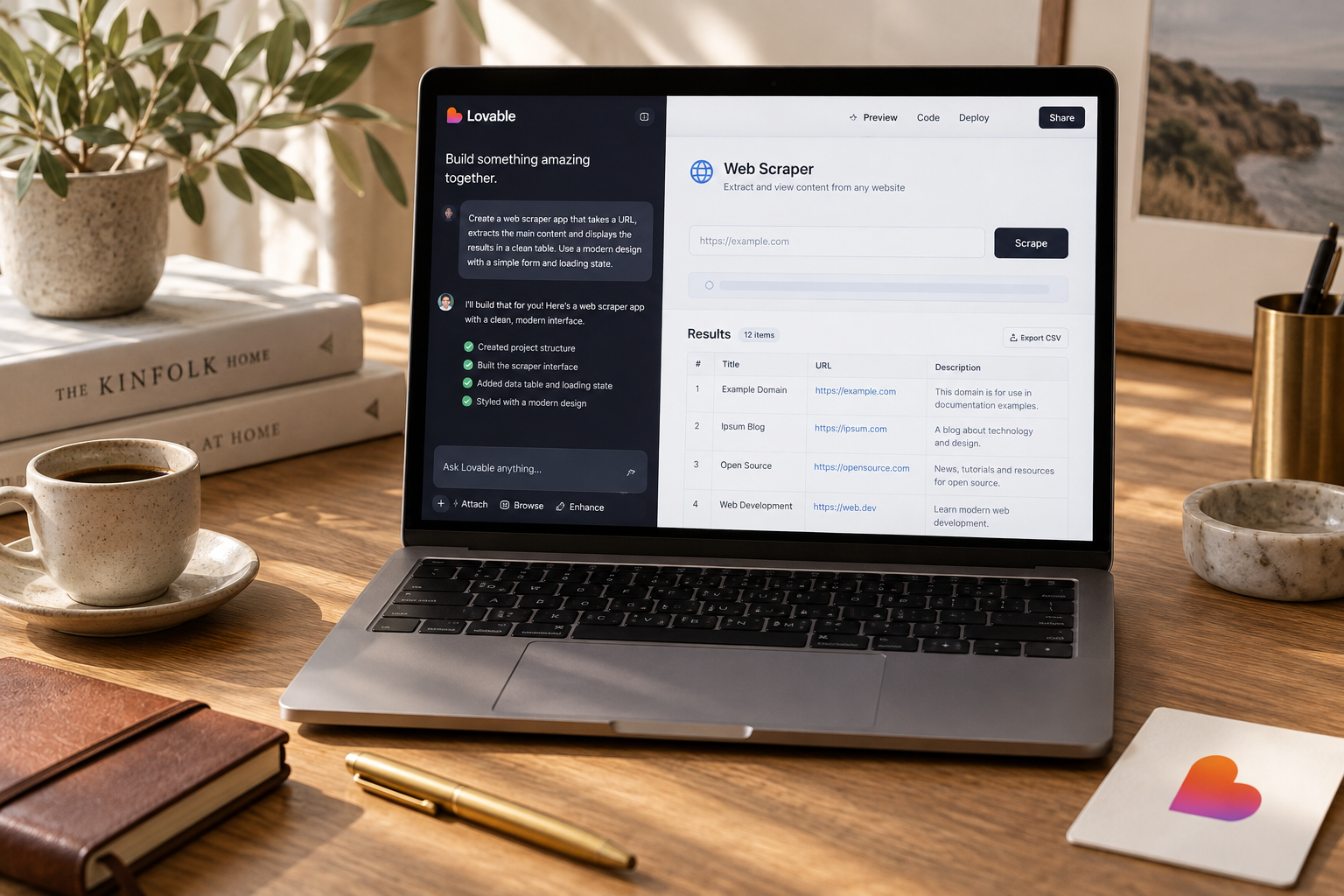
Use Lovable for the interface, Supabase for authentication and storage, and a server-side scraping service for fetching pages. Start with one approved URL per request, return source-backed results, and enforce quotas before adding crawling or AI extraction.
You can build a web scraper app with Lovable by generating the interface, connecting a Supabase backend, and calling a scraping API from a server-side function. Keep API keys and fetching logic out of the browser. This tutorial builds a single-page scraper with saved results, CSV export, and limits that stop a small tool from becoming a large bill.
What you will build and what it costs
Build a research tool, not a general-purpose crawling platform. A signed-in user submits one approved public URL, receives the page title and extracted text, and exports previous results.
For the October 2026 version of this tutorial, the stack is Lovable, Supabase, and Firecrawl. Provider plans and integration screens change, so the instructions use an explicit server-side API connection rather than depend on a particular Lovable menu.
The request path is simple:
`Browser -> authenticated backend function -> Firecrawl -> saved result -> browser`
Lovable builds the application. Supabase handles accounts, database records, and the backend function. Firecrawl fetches the page and converts its content into a usable format. You do not need an AI model to extract a title and page text.
Keep the first version deliberately small
Support one URL per submission. Restrict access to a few invited testers. Allow only domains you own or have permission to scrape.
Do not add recursive crawling, scheduled monitoring, login-protected pages, or proxy rotation. Each changes the operational problem. A scraper that works on your documentation site is not automatically a reliable competitor-monitoring product.
If you need a narrower use case, browse the app ideas library. A documentation inventory or approved supplier catalog tool is easier to validate than "scrape anything."
Budget time and money before prompting
These are planning estimates for a small pilot, not current provider price quotes.
| Work item | Estimated time | Budget assumption | |---|---|---| | Interface and authentication | 45-90 minutes | Uses your Lovable build allowance | | Database and backend integration | 90-180 minutes | A small pilot may fit eligible free allowances | | Security, failure tests, and CSV | 90-180 minutes | Mostly implementation time | | Scraping usage | Varies by page | Reserve $5-$20 as a pilot usage budget | | Total first working pilot | 4-8 hours | Plan $30-$100 for the first month |
A beginner should allow a weekend. Paid minimums, hosting, taxes, or a difficult target site can push costs above this range. Check the Lovable pricing guide and each provider's current billing page before committing.
For capacity planning, 10 testers making 10 submissions daily means 3,000 monthly submissions. That is not necessarily 3,000 billable credits: rendering, retries, and optional extraction can change the provider's billing unit.
Build the interface and database
Step 1: Generate the smallest useful application
Create a Lovable project and give it a bounded specification. Avoid asking for an "enterprise scraping dashboard." That usually buys you decorative charts before you have a working request.
Paste this prompt:
```text Build an authenticated single-page web scraper app called Page Ledger.
Use Supabase for authentication, database storage, and a server-side Edge Function. Do not call the scraping provider from the browser.
Screens:
- Sign in.
- Dashboard with one HTTPS URL input and a Scrape page button.
- Results table with URL, title, status, and creation date.
- Result detail with extracted Markdown and a source link.
Create a scrape_jobs table with: id, user_id, requested_url, final_url, status, title, markdown, error_code, created_at, completed_at.
Requirements:
- Users can read only their own jobs using row-level security.
- The server assigns ownership from the verified user session.
- Provider credentials stay in backend secrets.
- Only exact hostnames in a server-managed allowlist are accepted.
- Start with one active job per user and 10 submissions per day.
- Enforce quotas atomically on the server.
- Show queued, running, succeeded, failed, and timed_out states.
- Never claim success using mock data.
- Add CSV export for the signed-in user's results.
- Render extracted content safely, with raw HTML disabled.
First implement the schema, access policies, and UI. Before adding the provider call, explain the authentication flow, secret storage, and proposed quota enforcement for review. ```
Split the implementation into reviewable changes. The prompt library has more patterns for keeping follow-up requests focused.
Step 2: Connect Supabase and inspect ownership
Connect the intended Supabase project through Lovable's supported integration flow. Confirm the project identifier before applying migrations. Accidentally using a production database is an expensive shortcut.
Treat generated policies as code that needs testing.
The `scrape_jobs.user_id` field should reference an authenticated user. Enable row-level security and permit reads only when the row's owner matches the current user.
For this design, the browser does not insert or update jobs directly. The backend verifies the user's token, assigns ownership itself, and writes job state. Never trust a `user_id` supplied in the request body.
If the backend uses a privileged database credential, remember that it can bypass row-level security. Every read or update through that client must explicitly enforce ownership. Keep the credential out of frontend environment variables and bundles.
Step 3: Make states useful
Create the job before contacting Firecrawl. That gives failures a record instead of making them disappear behind a toast notification.
Store readable error codes such as `DOMAIN_NOT_ALLOWED`, `RATE_LIMITED`, `FETCH_FAILED`, and `PROVIDER_TIMEOUT`. Keep detailed provider diagnostics in protected logs, not in the public response.
Use `timed_out` for requests that exceed your synchronous deadline. Do not leave them spinning forever.
Connect the scraper securely
Step 4: Add the provider credential
Create a Firecrawl API key and store it as a backend secret, for example `FIRECRAWL_API_KEY`. Read it only inside the server function.
Do not paste a live key into a Lovable chat message. Do not put it in a browser-exposed variable such as `VITE_FIRECRAWL_API_KEY`. If a key appears in a built JavaScript file, assume visitors can copy it.
The Firecrawl v2 scrape API uses the following request shape. Confirm it against the provider's current documentation before deployment:
```http POST https://api.firecrawl.dev/v2/scrape Authorization: Bearer YOUR_SERVER_SIDE_KEY Content-Type: application/json
{ "url": "https://your-approved-domain.example/docs/start", "formats": ["markdown"], "onlyMainContent": true } ```
Replace the example URL with a permitted page. The normal success response includes extracted Markdown under `data.markdown` and page metadata under `data.metadata`. Handle missing metadata, empty content, provider errors, and non-JSON responses explicitly.
Save the title when available. Store a verified final URL when the provider supplies one; otherwise leave that field empty rather than pretending the submitted URL was the final destination.
Step 5: Validate URLs before spending credits
The backend should perform these checks in order:
- Verify the signed-in user's token.
- Parse the URL with a URL parser, not a regular expression alone.
- Require HTTPS and reject embedded usernames or passwords.
- Reject IP-literal hosts and nonstandard ports.
- Compare the normalized hostname against an exact server-managed allowlist.
- Reserve the user's quota and active-job slot atomically.
- Create the job and make the provider request.
- Save the result or failure and release the active-job slot.
Do not use a loose suffix check. Allowing `example.com` must not accidentally allow `notexample.com`. Add subdomains individually for the pilot.
A hostname allowlist is necessary, but it does not solve every server-side request forgery risk. Redirects and DNS changes can send a fetch somewhere unexpected. The fetching layer must prevent access to loopback, private, link-local, and cloud metadata addresses across every redirect and resolution.
When using a hosted scraper, verify those protections with the provider. If its controls are unclear, do not open arbitrary URL submission to the public. Keep the pilot limited to domains you control, without user-controlled redirects. Checking the final URL after fetching is not preventive protection.
Step 6: Set limits the browser cannot bypass
Use these initial application limits:
- One active request per user.
- Ten submissions per user per day.
- A 30-second application deadline, if your function runtime permits it.
- A maximum of 200,000 stored text characters per result.
- No automatic retries in the first version.
These are product defaults, not provider limits. Count accepted submissions toward the quota even when fetching fails, otherwise repeated failures can become unlimited paid requests.
Enforce the reservation in a database transaction or equivalent atomic operation. Two simultaneous requests must not both see an empty slot and proceed.
Choose a provider timeout shorter than the backend's execution limit where supported. Aborting your HTTP request does not guarantee the provider stops processing or billing. Record timed-out jobs and avoid blindly retrying them.
For slow pages, move to queued background work later. Do not hide an unreliable synchronous integration behind a longer loading animation.
Test, export, and launch
Step 7: Test behavior, not just the screenshot
Use a small fixture page on your own domain with a known heading, paragraph, and link. Confirm that the extracted result contains those values and points back to the source.
Then run this matrix:
| Test | Expected result | |---|---| | Approved public page | Saved result with real extracted content | | Unknown hostname | Rejected before the provider call | | URL containing credentials | Rejected before the provider call | | Private IP address | Rejected before the provider call | | Eleventh daily submission | Quota error without a new provider call | | Two simultaneous submissions | Only one active job admitted | | User B requests User A's result | No access to the record | | Provider returns an error or stalls | Failed or timed-out job with a useful message |
Also test a redirect on a domain you control. Confirm the fetching layer applies its destination restrictions, not just the original hostname check.
An HTTP success response is not proof of a useful scrape. A CAPTCHA page, login screen, or empty document should not become a confident research result. Show a warning when the extracted content fails your fixture-based quality checks.
Step 8: Export safely
Export `requested_url`, `title`, `status`, and `created_at` first. Keep full Markdown in the detail view until users actually need bulk content exports.
Use a CSV library that handles quotes, commas, and line breaks. Neutralize spreadsheet-formula prefixes such as `=`, `+`, `-`, and `@`, including cases hidden behind leading whitespace or control characters. Quoting a CSV cell alone does not prevent formula execution.
Treat scraped content as untrusted everywhere. Disable raw HTML in Markdown rendering or sanitize it with a maintained sanitizer. Never insert returned HTML directly into the page.
Step 9: Run a controlled pilot
Invite five testers and ask each to scrape five permitted pages. Review all 25 attempts. Record useful-result rate, response time, provider usage, and failure reasons.
Suggested launch targets are at least 23 useful results out of 25 and no cross-account access. These are acceptance targets, not promised performance. Inspect every security failure regardless of the overall success rate.
Before sharing the app, complete this checklist:
- [ ] No provider or privileged database keys appear in browser assets.
- [ ] Authentication and ownership checks pass with two separate accounts.
- [ ] Hostname restrictions, redirect protections, and quotas are verified.
- [ ] Timeouts produce terminal job states.
- [ ] Scraped content and CSV exports are handled safely.
- [ ] Users can delete saved content, with a documented retention period.
- [ ] Provider usage alerts and an application kill switch are configured.
- [ ] Pilot domains are approved and prohibited uses are documented.
Ship this version before adding crawling. Reliability on five approved sites is worth more than a dashboard advertising support for the entire web.
Can Lovable scrape websites without an API?
Yes. Lovable can generate code for a custom server-side fetcher or browser automation worker. Browser-only fetching often runs into cross-origin restrictions, and dynamic pages may require rendering. A hosted scraping API reduces infrastructure work, but does not guarantee access or permission.
Is it legal to build a web scraper with Lovable?
Building the tool is not the same as having permission to collect and reuse a site's data. Check applicable law, site terms, privacy obligations, and content rights. Respect robots directives and access restrictions, but do not treat robots.txt as legal permission. Start with your own content or explicit authorization.
How do you add AI extraction to the scraper?
Add a separate server-side step after fetching succeeds. Give the model a strict schema, require supporting source text, and return `null` for missing fields. Treat scraped instructions as untrusted data, never as permission to run tools. Track model costs separately from scraping costs.
The Briefing
The best of Lovable, once a week.
Deep reviews, founder case studies, and growth tactics. No filler.
No spam. One-click unsubscribe.
Build something with us
Start Building with Lovable
Open Lovable, write your first prompt, and ship the thing you have been thinking about for too long.
Start Building with Lovable