
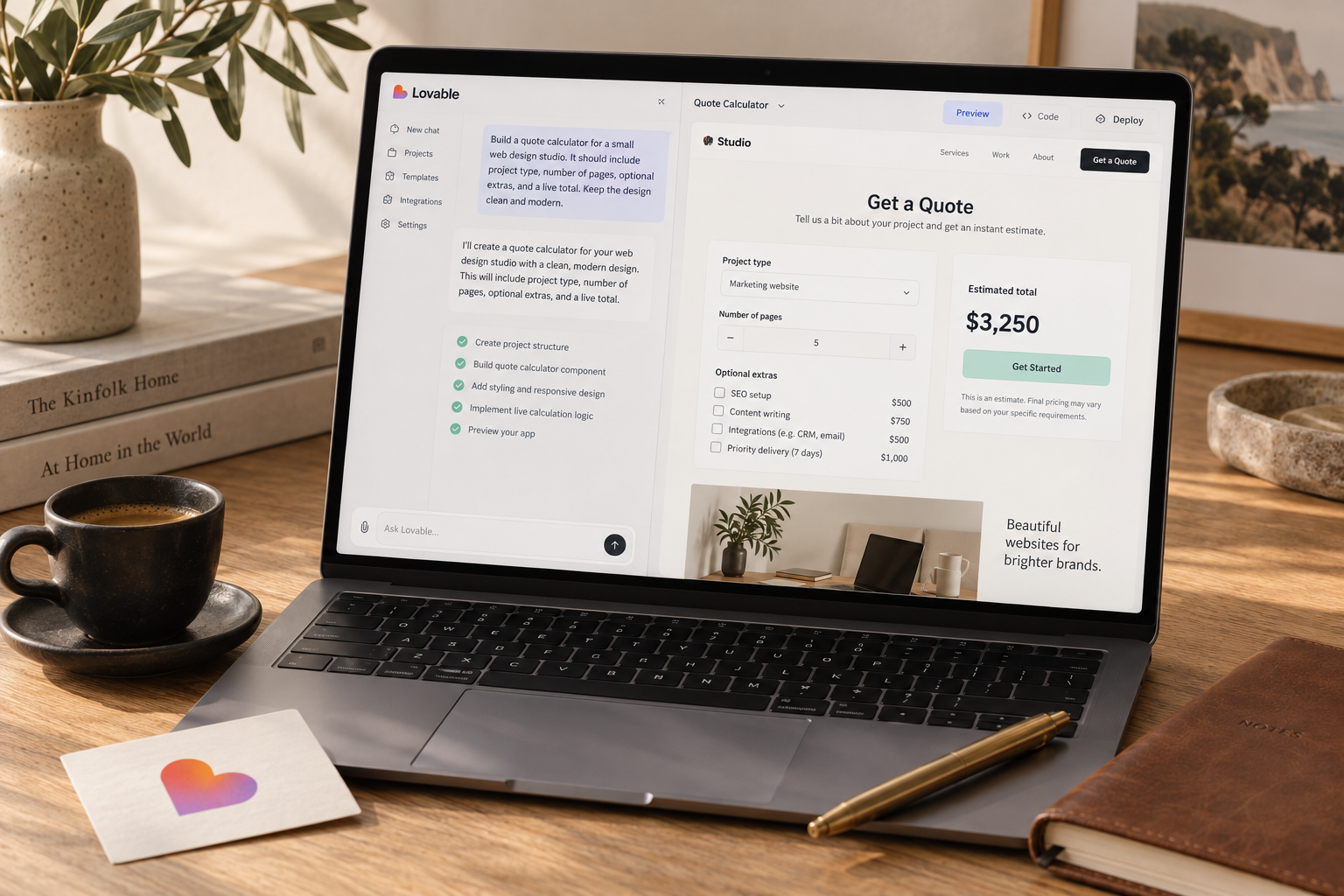
A quote calculator is a useful weekend Lovable project when your business has repeatable pricing rules. Build a narrow estimator that shows a price range or estimate, collects qualified inquiries, and leaves final approval with a person. Budget 12-16 hours for a pilot, with extra time for unfamiliar integrations.
You can build a quote calculator with Lovable by turning your service pricing into fixed rules, generating a mobile-friendly form, and connecting an inquiry workflow. A tightly scoped pilot can fit into a weekend, provided you skip payments, scheduling, and complicated integrations. This guide gives you the pricing model, copy-paste prompt, budget, and tests to get there.
The useful version is not a chatbot guessing what you charge. It is a small customer-facing app that answers a buying question: "Roughly what will this cost, and how do I request it?"
What your quote calculator should do
Start with one service whose price you can explain on paper. House cleaning, lawn care, pressure washing, and vehicle detailing are reasonable candidates when the variables are predictable.
A renovation estimate involving site conditions, permits, and subcontractors is a different problem. Build an intake form for that, not a pretend instant quote.
For this walkthrough, use a cleaning business with a defined service area. The customer enters their ZIP code, selects home size and cleaning frequency, adds an oven clean if needed, and sees an estimate. They can then request confirmation.
The weekend scope is one calculator, one inquiry form, and one staff review queue. No customer accounts. No calendar synchronization. No automatic discounts invented by a language model.
If this workflow does not match your business, browse the small-business app ideas before committing to a build.
Write the pricing rules first
Use the following fictional prices to understand the structure. Replace them with your own rates before publishing.
| Input or rule | Example price behavior | |---|---| | Base standard clean | $120 | | Home size: 1-1,000 square feet | No surcharge | | Home size: 1,001-2,000 square feet | Add $30 | | Home size: 2,001-3,000 square feet | Add $60 | | Home size above 3,000 square feet | Manual estimate required | | Oven cleaning | Add $25 | | Recurring service | 10% off base price plus size surcharge only | | Outside the supported service area | No automatic estimate |
For a 1,500-square-foot home with oven cleaning and recurring service, the calculation is:
`($120 + $30) × 0.90 + $25 = $160`
The oven add-on does not receive the recurring discount. That detail matters. An ambiguous instruction such as "give repeat customers 10% off" can produce the wrong calculator.
Define exclusions too. This example excludes deep cleaning, hazardous conditions, and move-out work. Display "Estimated service price, subject to confirmation" beside the result, not buried in a footer.
Decide how your business handles applicable taxes before launch. The sample calculation above does not include them. Your published wording and calculation must match local requirements.
Weekend plan and realistic costs
For an operator with a finished price list, allow 12-16 focused hours for a pilot. Someone learning authentication, databases, and deployment at the same time should allow another weekend.
As of October 2026, do not assume the builder subscription covers every deployment, database, or email expense. Check current allowances and usage billing before connecting paid services. The figures below are planning allowances, not quoted Lovable plan prices.
| Work block | Time allowance | Deliverable | |---|---:|---| | Friday: define scope and prices | 2 hours | Pricing sheet, exclusions, acceptance tests | | Saturday: build the estimator | 4-5 hours | Working form and calculation | | Saturday: add inquiry storage | 2-3 hours | Saved requests and protected staff access | | Sunday: test and correct | 3-4 hours | Verified calculations, permissions, mobile flow | | Sunday: publish the pilot | 1-2 hours | Live link and staff instructions |
For cash planning, reserve $30-$60 for a month of builder access and iteration, plus $10-$40 for low-traffic hosting, database, and email services. Some setups will fit inside included allowances. Others will exceed this range, especially if you repeatedly rebuild the app.
That makes $40-$100 a provisional first-month software budget, excluding taxes, labor, domains, and outside help. Verify actual charges against the Lovable pricing guide and your connected providers. Set usage alerts wherever available.
A custom domain is optional for the pilot. A link from your existing website is enough to test whether customers use the calculator.
Do the labor math as well. At an assumed internal time value of $40 per hour, a 12-16-hour build costs $480-$640 in attention. If an existing form product handles your pricing and routing cleanly, buying it may be the better decision.
Lovable earns its place when you need a tailored customer journey or calculation that standard forms make awkward. Custom software is not automatically cheaper software.
Build the calculator in Lovable
1. Generate the estimator without integrations
Start with the public form and sample pricing. Keep it disconnected from real customer data until the calculation passes its tests.
Paste this prompt into Lovable:
```text Build a mobile-first quote calculator for a fictional house-cleaning business.
Scope:
- Public estimator, no customer login.
- No payments, booking calendar, chatbot, or external integrations yet.
- Use USD and integer cents for all money calculations.
- Keep pricing rules separate from UI components.
Inputs:
- Five-digit ZIP code, stored as text.
- Home size band: 1-1000, 1001-2000, 2001-3000, above 3000 sq ft.
- Frequency: one-time or recurring.
- Oven cleaning: yes or no.
Demo rules:
- Supported ZIP codes: 10001 and 10002.
- Base price: 12000 cents.
- Size surcharge: 0, 3000, or 6000 cents for the first three bands.
- Recurring discount: 10% of base plus size surcharge only.
- Oven cleaning: 2500 cents, never discounted.
- Round discount amounts to the nearest cent.
- Unsupported ZIP or above 3000 sq ft: show manual estimate required.
- Never show a numeric estimate for unsupported requests.
Results:
- Show a clear itemized breakdown.
- Say: Estimated service price, subject to confirmation.
- Explain that deep cleaning, hazardous conditions, and move-out work are excluded.
- Mark tax wording as a pre-launch configuration item.
- Show the estimate before asking for contact details.
- Include a Request confirmation button and a draft contact form.
- Do not claim a request was sent while no backend exists.
Quality:
- Accessible labels, keyboard navigation, visible focus states.
- Preserve inputs after validation errors.
- Include unit tests for all pricing branches.
- Test: 1500 sq ft, recurring, oven selected = 16000 cents.
- List unresolved launch requirements after building.
```
The demo ZIP codes are placeholders, not an address-validation system. Replace them and test boundary areas before inviting customers.
2. Check the generated calculation
Ask Lovable to identify the pricing function and explain its inputs, outputs, discount order, and rounding behavior. Compare that explanation with your price sheet.
Then run the tests. A generated test suite can repeat the same mistaken assumption as generated code, so manually verify several examples too.
Keep changes small: fix the discount rule, verify it, then move on to the form. For help structuring those requests, use the prompt library.
3. Add inquiry storage and staff access
Connect a backend supported by your project configuration. Supabase is one option for database storage and authentication; check the current connection flow in Lovable rather than assuming a particular setup screen.
Store the selected options, estimated amount, pricing version, submission timestamp, customer name, email, optional phone number, and request status. Keep notes optional and tell visitors not to include sensitive information.
The production submission handler must validate the inputs and recompute the estimate server-side. Never trust a price sent by the browser. Someone can edit a request even if the on-screen total looks locked.
For a Supabase setup, require row-level security and a narrowly authorized staff role for reading inquiries. Anonymous visitors must not be able to list customer records. Merely being logged in should not grant staff access.
Ask Lovable to implement those restrictions, then verify them with separate accounts and direct requests. A hidden admin link is not a security control.
Save the inquiry successfully before displaying confirmation. Add a duplicate-submission guard and server-side abuse controls so repeated taps or automated requests do not flood the queue.
4. Add notifications last
First prove that submissions appear in the protected staff queue. Then connect transactional email if needed, keeping provider secrets server-side.
A staff notification can contain a request ID and a link to the queue instead of copying customer details into email. If email delivery fails, the inquiry should remain saved and visible.
Customer-facing confirmation should describe what actually happened: "Your request was received. We will confirm the price within one business day." Only promise that response time if someone owns the queue.
Test and launch a small pilot
A polished results screen is not launch evidence. Correct prices, private records, and recoverable failures are.
Run the pricing tests
Using the fictional rules, verify these results independently:
| Test case | Expected result | |---|---:| | 800 sq ft, one-time, no oven | $120 | | 1,500 sq ft, one-time, oven | $175 | | 1,500 sq ft, recurring, oven | $160 | | 2,500 sq ft, recurring, no oven | $162 | | Above 3,000 sq ft | Manual estimate required | | Unsupported ZIP code | Manual estimate required |
Also test every size-band boundary. If you later replace bands with a numeric input, check 1,000, 1,001, 2,000, 2,001, 3,000, and 3,001 explicitly.
Submit a tampered request containing an artificially low total. The server should ignore that total and calculate its own. For unsupported jobs, it should save a manual-review request without inventing a price.
Use this launch checklist
- [ ] Replace all fictional prices, ZIP codes, and business details.
- [ ] Confirm exclusions, discount eligibility, and tax treatment.
- [ ] Verify the layout on an actual phone.
- [ ] Complete the form using only a keyboard.
- [ ] Confirm a visitor cannot read any submitted inquiries.
- [ ] Confirm an ordinary account cannot access staff records.
- [ ] Verify secrets are absent from browser-delivered code.
- [ ] Test database failure, email failure, and duplicate taps.
- [ ] Publish a privacy notice and define a data-retention period.
- [ ] Separate optional marketing consent from the service inquiry.
- [ ] Assign a staff owner and response deadline.
- [ ] Keep the existing phone or contact-form route available.
Send the calculator to five existing customers before putting it on your main navigation. Ask them to estimate a real job without guidance. Watch for confusing size bands and uncertainty about what is included.
Then run a two-week pilot. Track calculator starts, estimates displayed, submitted inquiries, accepted jobs, and the difference between estimates and final prices. Avoid putting names or emails into analytics events.
Suppose 100 people start the calculator, 60 reach an estimate, and 12 submit an inquiry. That is a 60% estimate completion rate and a 20% estimate-to-inquiry rate. These are illustrative calculations, not industry benchmarks.
The decisive question is whether the tool produces worthwhile inquiries with less administrative work. Review the first 20 submissions manually. If final prices regularly differ by more than your chosen tolerance, such as 15%, revise the rules or switch to a clearly explained range.
Do not respond to a bad pricing model by adding more AI. Fix the pricing model.
Can Lovable build a quote calculator without coding?
Yes, Lovable can generate the interface and calculation logic from instructions. You still need to verify pricing, backend permissions, and deployment behavior. If you cannot assess customer-data access controls, get a technical review before collecting live inquiries.
Should AI decide the price of a service?
Not for this calculator. Use deterministic rules approved by the business owner. AI can help build the app or draft explanatory text, but it should not invent charges, discounts, or contractual promises at runtime.
Can a Lovable quote calculator accept payments?
Yes, with an appropriate payment integration, but leave it out of the first pilot. Once estimates are reliable, add a separate confirmed-price payment step with clear cancellation and refund terms. Do not charge customers automatically for an unapproved estimate.
The Briefing
The best of Lovable, once a week.
Deep reviews, founder case studies, and growth tactics. No filler.
No spam. One-click unsubscribe.
Build something with us
Start Building with Lovable
Open Lovable, write your first prompt, and ship the thing you have been thinking about for too long.
Start Building with Lovable